


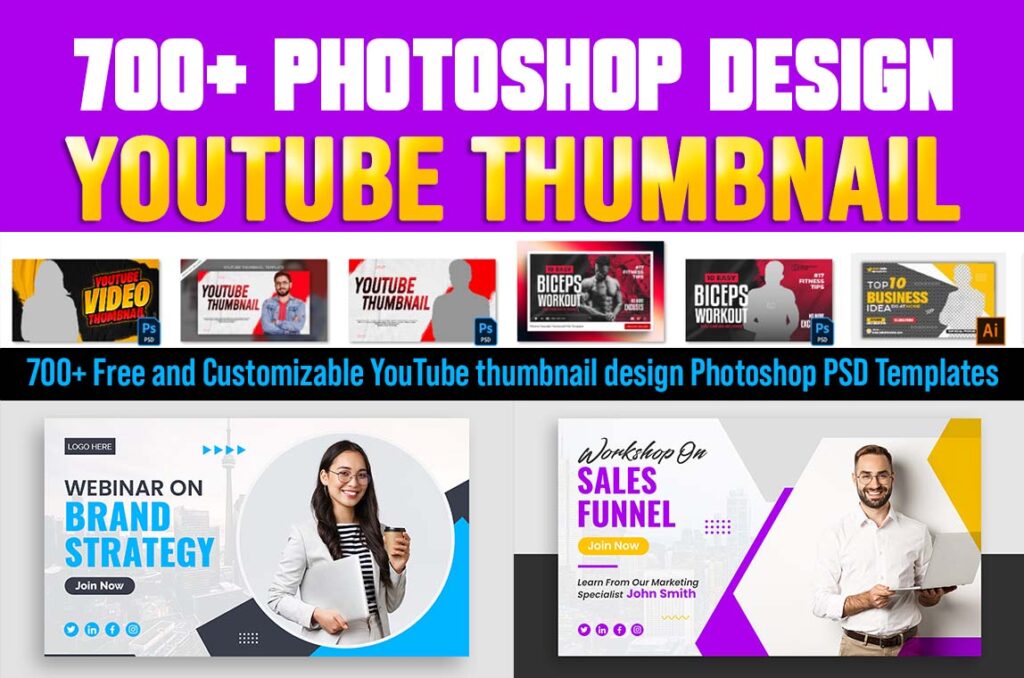
With millions of videos uploaded daily, it’s crucial for creators to make their content stand out. One of the key elements in catching viewers’ attention is a captivating thumbnail. In this comprehensive guide, we will delve into the world of YouTube thumbnail design, providing you with access to 700+ free and customizable Photoshop PSD templates that will take your video thumbnails to the next level.
The Power of an Eye-Catching Thumbnail
Before we dive into the treasure trove of customizable PSD templates, let’s first understand why a compelling YouTube thumbnail is essential for success on the platform.
How to Edit Our YouTube Thumbnail
Step 1: Open Photoshop and Create a New Project
- Launch Adobe Photoshop on your computer.
- Click on “File” and select “New” to create a new project.
- Choose the dimensions for your YouTube thumbnail. The recommended size is 1280 pixels by 720 pixels (16:9 aspect ratio), as this fits perfectly with YouTube’s video player.
Step 2: Import Your Thumbnail Image
- Click on “File” and select “Open” to import your existing thumbnail image.
- Locate the image file on your computer and open it in Photoshop.
Step 3: Customize Your Thumbnail
1. Image Enhancements:
- Use Photoshop’s various tools like “Brightness/Contrast,” “Levels,” and “Color Balance” to enhance the image’s quality.
- Adjust the colors, contrast, and brightness to make your thumbnail more visually appealing.
2. Add Text:
- Click on the “Text” tool (T) from the toolbar.
- Select a font style, size, and color.
- Click on your thumbnail image and add a title or any relevant text.
- Position and resize the text as needed.
3. Include Graphics or Icons:
- You can import icons, logos, or other graphics to reinforce your video’s message or branding.
- Use the “File” > “Place Embedded” option to add external images onto your thumbnail.
4. Layer Styles:
- Apply layer styles like drop shadows, strokes, or glows to make your text or graphics stand out from the background.
Step 4: Save Your Edited Thumbnail
- After making all the desired changes, click on “File” and select “Save As.”
- Choose a suitable file format (JPEG or PNG are recommended).
- Give your thumbnail a descriptive name.
- Click “Save.”
Step 5: Upload Your Edited Thumbnail to YouTube
- Go to your YouTube video Studio Manager.
- Select the video for which you want to change the thumbnail.
- Click on “Edit” and then “Custom Thumbnail.”
- Upload the edited thumbnail you created in Photoshop.
- Click “Save” to apply the new thumbnail to your video.
700+ Free and customizable YouTube thumbnail design Photoshop PSD Templates Info:
| Design Catagoty | Design Category |
| Software Use | Adobe Photoshop cc |
| Password: | #vishaldeepdhamecha |
| Join Our Telegram Group | Join Telegram |
| Last Update | 12/ 09/2023 |
Conclusion
In conclusion, YouTube thumbnails are a pivotal element in the success of your content on the platform. With access to 700+ free and customizable Photoshop PSD templates from www.customepisode.com, you now have the tools to create eye-catching and compelling thumbnails that will set your videos apart from the competition.
Remember, a great thumbnail is your first opportunity to make a lasting impression on potential viewers. Invest time and effort into crafting thumbnails that reflect the quality of your content, and watch your YouTube channel flourish.
Table of Contents