


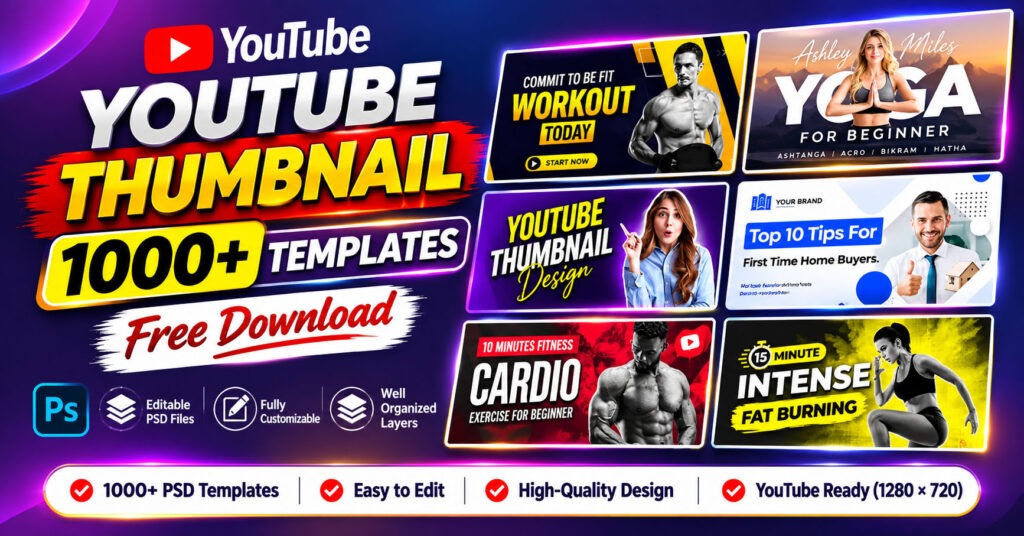
1000+ Best YouTube Thumbnail Design PSD Templates Free Download
Are you looking for professional YouTube thumbnail design PSD templates to make your videos more attractive and engaging? You’re in the right place!
We are excited to share a collection of 1000+ Best YouTube Thumbnail Design PSD Templates Free Download for content creators, YouTubers, graphic designers, and digital marketers.
Creating an eye-catching YouTube thumbnail is one of the most important parts of video marketing. A professionally designed thumbnail can help your videos stand out, attract viewers, and communicate your content more effectively.
With this massive collection of editable Photoshop PSD templates, you can save valuable design time and create professional-looking thumbnails without starting from scratch.
Whether you create gaming videos, fitness tutorials, travel vlogs, business content, educational videos, or lifestyle content, this thumbnail design bundle offers a variety of creative designs for your projects.
Why Do YouTube Thumbnails Matter?
A YouTube thumbnail is often the first thing viewers notice when browsing videos. It gives people a quick idea of what your video is about and can influence their decision to watch it.
Here are two important reasons why professional thumbnail design matters.
1. Grabbing Viewers’ Attention
The first and most important purpose of a YouTube thumbnail is to capture attention.
Thousands of videos compete for viewers’ attention every day. A visually appealing thumbnail with attractive colors, bold typography, and high-quality images can help your video stand out among other recommendations.
A well-designed thumbnail makes your content more noticeable and encourages potential viewers to explore your video.
2. Setting the Right Expectations
An effective YouTube thumbnail should accurately represent the video’s content.
Think of your thumbnail as a visual summary of your video. It should communicate the main topic and give viewers a clear idea of what they can expect.
Avoid misleading clickbait designs. Instead, use relevant images, readable text, and appropriate graphics to build trust with your audience.
Crafting the Perfect YouTube Thumbnail Design
Creating an attractive thumbnail requires more than simply adding text and images. You need to consider dimensions, typography, colors, and image quality.
Here are some essential tips for designing professional YouTube thumbnails.
1. YouTube Thumbnail Dimensions
Before using any thumbnail template, make sure your design follows YouTube’s recommended specifications.
The recommended YouTube thumbnail resolution is 1280 × 720 pixels, with a 16:9 aspect ratio.
Using the correct dimensions helps your thumbnails appear sharp and properly formatted across different devices.
2. Typography Matters
Typography plays an important role in professional thumbnail design.
Choose bold, attractive, and easy-to-read fonts. Your text should remain readable even when viewers see your thumbnail on smaller mobile screens.
Consider using:
- Bold and modern fonts.
- Clear text hierarchy.
- Strong contrast between text and background.
- Short and attention-grabbing headlines.
- Consistent typography styles.
Avoid using too many fonts or placing excessive text on your thumbnail.
3. Use High-Quality Images
High-quality imagery is essential for creating professional YouTube thumbnails.
Blurred, pixelated, or poorly cropped images can make your designs look unprofessional.
Always use clear, relevant, and high-resolution images that match your video’s topic.
For better results, combine attractive backgrounds, relevant subject images, creative lighting, and balanced compositions.
4. Choose the Right Colors
Color combinations can make a significant difference in thumbnail design.
Use contrasting colors to make important elements stand out. Make sure the background, typography, and images work together to create a balanced composition.
How to Edit Our YouTube Thumbnail Design PSD Templates
Our 1000+ YouTube Thumbnail PSD Templates can be customized using Adobe Photoshop or compatible PSD editing software.
You can change text, replace images, adjust colors, modify backgrounds, and customize different design elements according to your requirements.
Follow these simple steps to edit your downloaded PSD templates.
Step 1: Open Adobe Photoshop
Launch Adobe Photoshop on your computer. Make sure you have a compatible version installed.
Step 2: Open the PSD File
Go to File > Open and navigate to the folder where you extracted the downloaded PSD templates.
Select your preferred PSD file and click Open.
Step 3: Customize the Design
Once the PSD file opens, you can start customizing the design.
You can:
- Change existing text and headlines.
- Replace images with your own pictures.
- Modify background colors.
- Adjust fonts and typography.
- Add or remove design elements.
- Apply Photoshop effects and filters.
Use the available layers to customize individual elements without changing the entire design.
Step 4: Save Your Changes
After completing your edits, go to File > Save to preserve your changes in the original PSD file.
If you want to keep the original template unchanged, choose File > Save As and save your customized design under a new name.
Step 5: Export Your YouTube Thumbnail
Once your design is ready, export it as a JPG or PNG image.
Choose the recommended 1280 × 720 pixel dimensions and check the final image quality before uploading it to YouTube.
Step 6: Upload Your Thumbnail to YouTube
Open YouTube Studio, select your video, and navigate to the thumbnail section.
Upload your newly customized thumbnail and save your changes.
That’s it! Your professional YouTube thumbnail is ready.
How to Create a Custom Thumbnail Preview for a PSD File
If you want to create a separate preview image for your PSD template, you can follow these steps:
- Open the PSD file in Adobe Photoshop.
- Create a new document with your preferred dimensions.
- Copy and paste the necessary design elements from the original PSD.
- Arrange the elements to create an attractive preview.
- Save the preview image in JPG or PNG format.
Note: A PSD file and its preview thumbnail are two different things. Editing the PSD changes the actual design, while creating a separate preview image gives you a convenient visual representation of the file.
1000+ YouTube Thumbnail Design PSD Bundle Information
Here are the details of this free YouTube thumbnail design collection.
| Information | Details |
|---|---|
| Resource Name | YouTube Thumbnail Design Bundle |
| Total Templates | 1000+ PSD Templates |
| File Format | PSD |
| File Size | 2.02 GB |
| Software Used | Adobe Photoshop |
| Editable | PSD Templates |
| Last Updated | 09/10/2023 |
| Password | customepisode.com |
| Admin | www.customepisode.com |
| Website | CustomEpisode.com |
1000+ YouTube Thumbnail Design PSD Templates Free Download
Are you ready to improve your YouTube thumbnail designs?
Download this massive collection of 1000+ professional YouTube thumbnail PSD templates and customize the designs according to your content and branding.
These templates can help you save time and create attractive thumbnails for different YouTube niches.
Download Information
- More than 1000 PSD templates.
- 2.02 GB compressed ZIP archive.
- Password protected.
- Password: customepisode.com
- Editable Photoshop PSD files.
Download Now
DOWNLOAD 1000+ YOUTUBE THUMBNAIL PSD TEMPLATES
Important: After downloading and extracting the ZIP archive, enter the password customepisode.com if requested.
Join Our Telegram Group – Custom Episode by Design Bundle
Want to discover more free graphic design resources, PSD templates, mockups, and creative design bundles?
Join our Telegram community to explore more resources and stay connected with CustomEpisode.
Get access to our design resource updates and discover more creative materials for your next project.
Conclusion
In the competitive world of YouTube content creation, a professional thumbnail can make a strong first impression.
With this collection of 1000+ free YouTube thumbnail design PSD templates, you can explore different design styles, customize creative layouts, and create attractive thumbnails for your videos.
Whether you’re a beginner, professional graphic designer, or YouTube content creator, these editable Photoshop templates can help simplify your design workflow.
Download the bundle today, customize your favorite designs, and take your YouTube thumbnail game to the next level!
Don’t forget to share this resource with other designers and creators who may find it useful.
Thank you for visiting CustomEpisode.com!
Frequently Asked Questions (FAQs)
1. Are these YouTube thumbnail PSD templates free to download?
Yes! This collection is available for free download through the provided Mega link. Please check the included files for their applicable usage terms.
2. Can I customize these YouTube thumbnail templates?
Absolutely! You can customize the PSD templates by changing text, colors, images, backgrounds, fonts, and other design elements using compatible editing software.
3. What software do I need to edit PSD templates?
Adobe Photoshop is recommended for editing PSD files. Other software with PSD compatibility may also work, although some advanced effects or layers may not be fully supported.
4. Are these templates suitable for mobile viewers?
Yes. You can customize and export your thumbnails at 1280 × 720 pixels. Use clear text, readable typography, and high-quality images to make them easy to view on smaller screens.
5. What is the password for the downloaded ZIP file?
The password for the downloaded archive is:
customepisode.com
6. Where can I download the 1000+ YouTube thumbnail templates?
You can download the complete collection using the Mega download link provided in this article.
7. How can I get more free graphic design resources?
Join our Telegram group, Custom Episode by Design Bundle, to discover more design resources and updates.
More Free Design Resources: Visit CustomEpisode.com for more graphic design templates, Photoshop resources, mockups, and creative downloads.
Table of Contents