

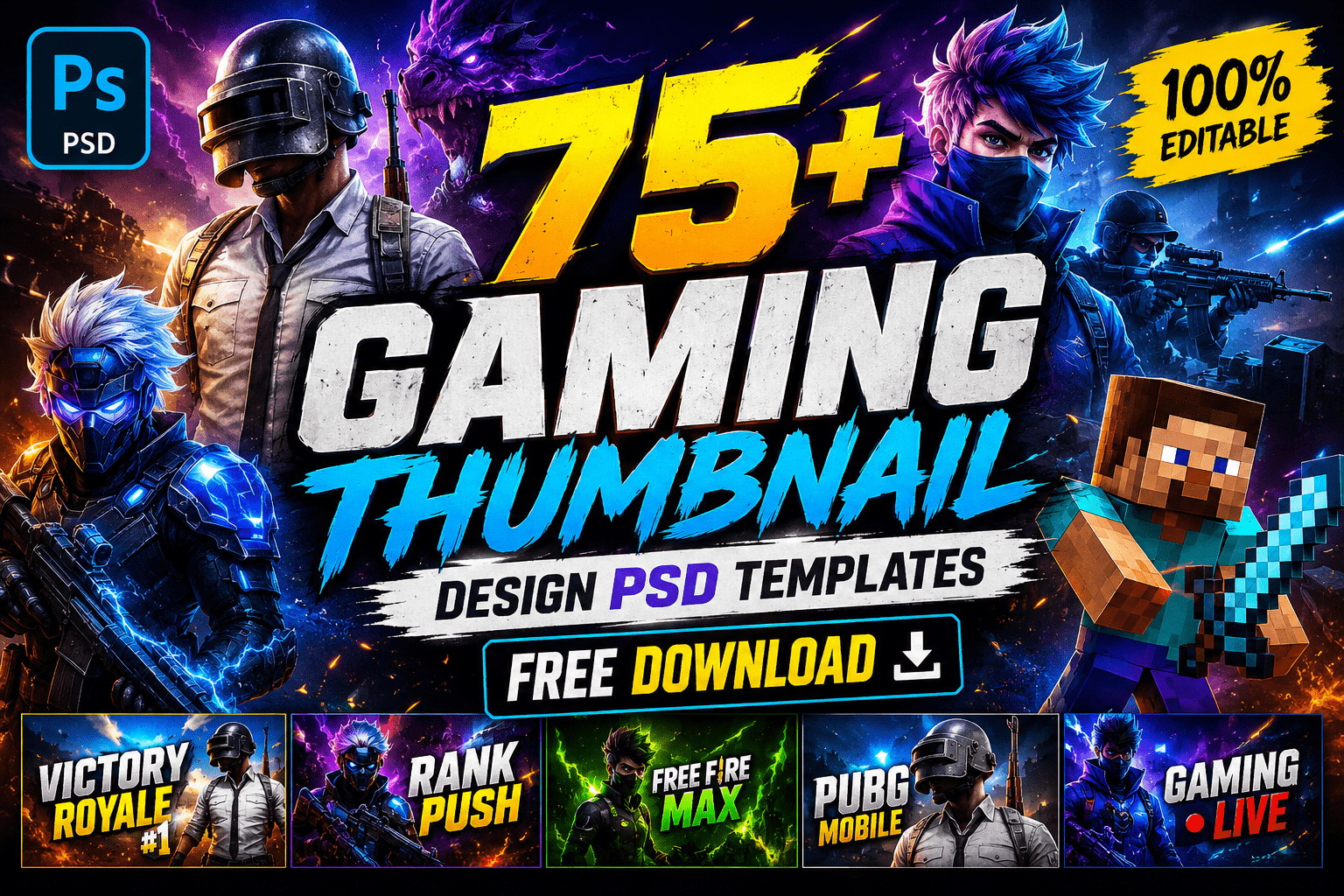
A professional thumbnail is one of the most important elements of a successful YouTube gaming channel. Before viewers watch your video, they see the thumbnail first. A creative and eye-catching gaming thumbnail can significantly improve your video’s click-through rate (CTR), helping you attract more viewers and grow your audience.
If you’re searching for Gaming Thumbnail Design PSD Template Free Download, you’ve come to the right place. In this article, you’ll discover a collection of over 75 high-quality Gaming Thumbnail PSD templates that are easy to edit in Adobe Photoshop. Whether you’re creating thumbnails for Free Fire, PUBG, Fortnite, Minecraft, Call of Duty, GTA V, Valorant, Roblox, or any other popular game, these templates can save you hours of design work.
Each template is professionally organized with editable layers, allowing you to customize colors, text, effects, and images in just a few minutes.
Why Gaming Thumbnails Matter
Your thumbnail works like the cover of a book. It creates the first impression before anyone watches your content.
A high-quality gaming thumbnail helps you:
- Increase YouTube Click Through Rate (CTR)
- Make your videos look more professional
- Build a consistent channel identity
- Attract new subscribers
- Stand out from thousands of competing gaming videos
Many successful gaming creators invest significant time designing thumbnails because they know that a great thumbnail often leads to more clicks and higher engagement.
Features of These Gaming Thumbnail PSD Templates
Our collection includes professionally designed PSD templates suitable for different gaming styles.
You’ll Get
- 75+ Premium Gaming Thumbnail Templates
- Fully Editable PSD Files
- Organized Photoshop Layers
- Smart Object Support
- High Resolution (1280 × 720 Pixels)
- RGB Color Mode
- Modern Gaming Effects
- Easy Text Editing
- Neon Light Effects
- Fire & Smoke Effects
- Motion Blur Effects
- Professional Color Grading
- Thumbnail Ready for YouTube
Even if you’re new to Photoshop, these templates are easy to customize.
Why Use PSD Templates?
Designing every thumbnail from scratch can take a long time.
PSD templates allow you to:
- Replace characters instantly
- Change background colors
- Edit text within seconds
- Apply professional effects easily
- Maintain a consistent brand style across your channel
This makes PSD templates an excellent choice for YouTubers, streamers, esports creators, and gaming content designers.
Compatible Software
These templates can be edited using:
- Adobe Photoshop CC
- Adobe Photoshop 2024
- Adobe Photoshop 2025
- Adobe Photoshop 2026
- Photopea (Free Online Photoshop Alternative)
If you don’t own Photoshop, Photopea is a great free option that supports PSD files.
Perfect For These Games
Our Gaming Thumbnail PSD templates are suitable for almost every popular game, including:
- PUBG Mobile
- BGMI
- Free Fire
- Free Fire MAX
- Fortnite
- Valorant
- Minecraft
- Roblox
- GTA V
- Call of Duty Mobile
- Apex Legends
- CS2
- League of Legends
- Dota 2
- FIFA
- eFootball
- Clash Royale
- Brawl Stars
No matter which game you play, you can customize these templates to match your content.
Benefits of Professional Gaming Thumbnails
Using professionally designed thumbnails offers several advantages:
- Higher Click Through Rate
- Better Viewer Engagement
- Increased Brand Recognition
- Faster Content Production
- Improved Channel Appearance
- Better Video Performance
Professional thumbnails don’t guarantee viral videos, but they significantly improve the chances that viewers will click when your content appears in search results or recommendations.
Download Information
| Feature | Details |
| File Format | PSD (Adobe Photoshop) |
| Resolution | 1280 × 720 Pixels |
| Aspect Ratio | 16:9 (YouTube Standard) |
| Editable | Yes |
| Layered File | Yes |
| Smart Objects | Supported |
| Color Mode | RGB |
| Password | customepisode.com |
| License | Check the download source before commercial use |
What’s Included in the Collection?
This collection contains a wide variety of gaming thumbnail styles designed for different types of gaming content. Whether you’re uploading gameplay, tutorials, livestream highlights, or esports videos, you’ll find templates that suit your needs.
Some popular styles include:
- Neon Gaming Thumbnails
- Fire & Explosion Effects
- Dark Gaming Themes
- RGB Lighting Designs
- Minimal Gaming Layouts
- Esports Tournament Styles
- Battle Royale Thumbnails
- Horror Game Designs
- FPS Gaming Templates
- Fantasy Gaming Artwork
- Action-Packed Backgrounds
- Stream Highlight Layouts
These templates are designed to help creators produce professional-looking thumbnails without spending hours designing from scratch.
How to Edit Gaming Thumbnail PSD Templates
Editing these PSD templates is simple, even if you’re a beginner.
Step 1: Download the PSD File
Download your preferred gaming thumbnail template and extract the ZIP file if necessary.
Step 2: Open in Photoshop
Launch Adobe Photoshop and open the PSD file.
Step 3: Replace Images
Most templates include Smart Objects. Double-click the Smart Object layer, replace the existing image with your own screenshot or character render, then save the Smart Object.
Step 4: Customize Text
Change the title, subtitle, or player name using the Text Tool (T).
Step 5: Adjust Colors
Modify colors, glow effects, overlays, and gradients to match your channel branding.
Step 6: Export
Go to File → Export → Export As, then save your thumbnail as a high-quality JPG or PNG.
Your thumbnail is now ready to upload to YouTube.
Best Practices for Creating Gaming Thumbnails
Even with a great template, thoughtful customization can make your thumbnail more effective.
Here are a few best practices:
- Use high-quality screenshots from your gameplay.
- Keep text short and easy to read.
- Highlight one main subject instead of cluttering the design.
- Use strong contrast between the background and text.
- Add subtle glow or outline effects to important elements.
- Maintain a consistent visual style across your channel.
- Test different thumbnail styles over time to learn what your audience prefers.
A clean, recognizable design often performs better than one overloaded with effects.
Why PSD Templates Save Time
If you upload videos regularly, designing every thumbnail from scratch can slow down your workflow.
Using editable PSD templates allows you to:
- Create thumbnails in minutes.
- Maintain consistent branding.
- Reuse successful layouts.
- Focus more on content creation.
- Produce professional results with less effort.
Many successful YouTubers rely on template-based workflows to publish content consistently.
Common Thumbnail Design Mistakes
Avoid these common mistakes when editing your thumbnail:
- Using too much text.
- Choosing fonts that are difficult to read.
- Overusing visual effects.
- Placing important elements too close to the edges.
- Using low-resolution images.
- Ignoring color contrast.
- Making every thumbnail look completely different from your channel’s branding.
Keeping your design simple and clear often leads to better viewer engagement.
Tips to Improve YouTube Click-Through Rate (CTR)
A compelling thumbnail can encourage more viewers to click your videos.
Consider these tips:
- Use expressive characters or action shots.
- Include a focal point that immediately grabs attention.
- Use bold typography with high contrast.
- Keep the composition balanced.
- Match the thumbnail to the video’s actual content.
- Avoid misleading designs or clickbait.
Building trust with viewers helps improve long-term channel performance.
Download Gaming Thumbnail PSD Templates
Browse the available designs and choose the template that best fits your gaming style. Before using any template for commercial projects, review the license or attribution requirements provided by the original source.
After downloading:
- Open the PSD file.
- Replace the preview images.
- Update the text.
- Export in JPG or PNG format.
- Upload your finished thumbnail to YouTube.
With just a few edits, you can create professional-looking thumbnails that are ready for your next gaming video.
Password= customepisode.com
SEO Tips for Gaming Creators
To maximize the impact of your thumbnails, combine them with strong YouTube SEO practices:
- Include your main keyword naturally in the video title.
- Write a clear, informative video description.
- Use relevant tags based on the game and topic.
- Create playlists for related gaming content.
- Upload videos consistently.
- Design thumbnails that are visually consistent with your brand.
- Monitor analytics to see which thumbnails attract the highest CTR.
Strong thumbnails and well-optimized metadata work together to improve discoverability and audience engagement.
Frequently Asked Questions (FAQ)
1. Are these Gaming Thumbnail PSD templates free to download?
Many templates are available for free, while others may require attribution or have premium licensing. Always review the license provided with the download before using a template for commercial projects.
2. Can I edit these PSD templates without Photoshop?
Yes. Besides Adobe Photoshop, you can also use Photopea, a free online editor that supports PSD files and many Photoshop features.
3. What is the recommended YouTube thumbnail size?
The recommended YouTube thumbnail size is 1280 × 720 pixels with a 16:9 aspect ratio. This ensures your thumbnail displays correctly across desktop, mobile, tablets, and TVs.
4. Which games are these templates suitable for?
These templates can be customized for almost any game, including:
- Free Fire
- PUBG Mobile
- BGMI
- Fortnite
- Valorant
- Minecraft
- Roblox
- GTA V
- Call of Duty
- Apex Legends
- Counter-Strike 2
- League of Legends
5. Are the fonts included in the PSD files?
Some templates include fonts, while others use free fonts that need to be downloaded separately. If a font is missing, Photoshop will notify you so you can install a similar or recommended font.
6. Can I use these templates for commercial YouTube channels?
That depends on the license of the individual template. Always check the usage rights before using any design for monetized channels or client work.
7. Can I change the colors and effects?
Yes. Every layered PSD template allows you to customize colors, lighting effects, gradients, shadows, text, and background elements to match your branding.
8. Will using PSD templates improve my YouTube performance?
A professionally designed thumbnail can increase click-through rate (CTR) and make your content more attractive. However, your video’s title, content quality, and audience interest also play a major role in overall performance.
9. What makes a good gaming thumbnail?
An effective gaming thumbnail usually includes:
- A clear focal subject
- High contrast colors
- Bold, readable text
- Clean composition
- Strong emotional or action-oriented visuals
- Consistent branding
10. Are these templates beginner-friendly?
Yes. Most templates use organized layers and Smart Objects, making them easy to edit even if you’re new to Photoshop.
Conclusion
Creating an eye-catching YouTube thumbnail doesn’t have to be complicated. With the right PSD template, you can design professional-quality thumbnails quickly while maintaining a consistent visual style across your channel.
This collection of 75+ Gaming Thumbnail Design PSD Templates is ideal for gamers, content creators, streamers, and designers who want to save time without compromising on quality. Simply customize the text, replace the images, adjust the colors, and export your final design.
Whether you’re creating videos for Free Fire, PUBG, Fortnite, Minecraft, Valorant, GTA V, or any other popular title, these editable templates provide a solid foundation for creating thumbnails that stand out.
Remember that great thumbnails work best when combined with high-quality content, clear titles, and a consistent upload schedule.
If you found this resource helpful, explore our other free PSD templates and design resources to enhance your creative projects.
Table of Contents